
FlightRadar - Flight Tracker
Fast Tour Booking - Flights & HotelsTravel & Local
0.00.00 Reviews
- Version
- 2.0.6
- Installs
- 500.00K
- Age Rating
- Everyone
Screenshots
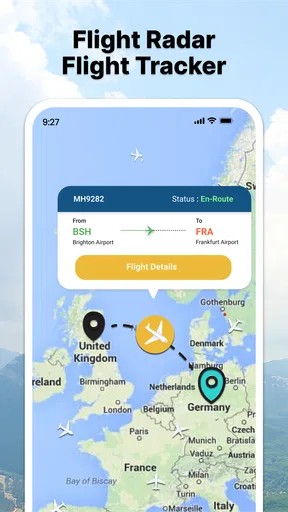
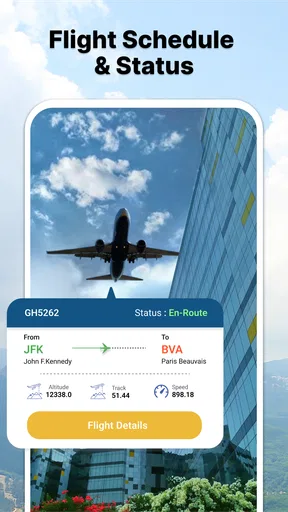
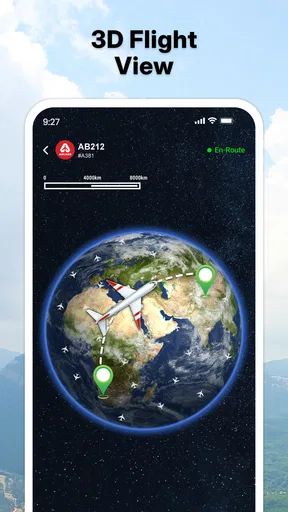
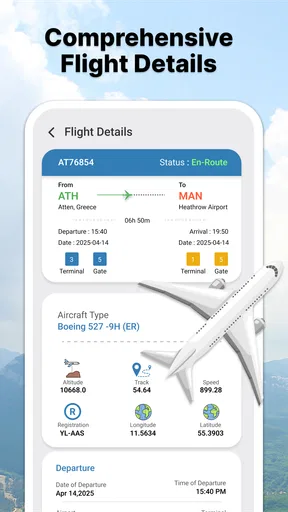

Our Review of FlightRadar - Flight Tracker
 Analysis by Appyee
I find flight trackers most useful when I treat them as a quick way to orient myself, not as a replacement for an airline or airport’s own updates. That distinction matters with FlightRadar - Flight Tracker: it is a free travel app from Fast Tour Booking - Flights & Hotels, built around following flight activity on a live radar map. When it answers a simple question—“Is the plane here yet?”—it can save me from guessing. When a trip depends on a gate change or a last-minute airline decision, I still check the carrier’s official information.
Where a flight-tracking app can feel confusing
The first stumbling block is often knowing what to search for. If I have a flight number, I can use that as a direct starting point. If I only know the traveler’s name or destination, I need to get the flight details from the person traveling or their itinerary first. That small bit of preparation makes the difference between a quick lookup and trying several guesses.
A map can also look more definitive than it is. A plane’s position gives useful context, but it does not by itself settle every practical question about arrival, baggage, or where to meet someone. I use the map to understand where the aircraft is in its journey, then rely on the airline or airport for instructions that affect what I should do next.
There is another easy-to-miss distinction: a live view is most helpful when I already have a reason to follow a flight. Opening the map just to browse can be interesting, but it can also leave me staring at aircraft without knowing which one matters. I get more out of the app when I begin with a flight number, airport, or a plane I can identify overhead, rather than expecting the map to explain my plans for me.
Simple checks before relying on a result
Before tracking someone’s arrival, I check the flight number against their latest itinerary and make sure I have the correct travel day. Similar routes can make a city or destination alone a poor search clue, especially when someone has a connection. If the result looks unexpected, I would rather verify the number than assume the app has found the right aircraft.
It also helps to think about the phone’s connection. A live map needs current information to be useful, so if it appears stuck or will not load, I first check whether other apps can access the internet and try again when the connection is steadier. I avoid making a travel decision from an old-looking screen; a refresh or a second source is a sensible check when timing matters.
The app is free to install, and it is rated for Everyone. Its current version is 2.0.4, with Android support starting at version 8.0. In-app purchases are listed from $9.99 to $39.99 per item, so I would look at what an optional purchase actually offers before paying. I would not assume that a paid item is necessary for a casual status check.
Using the map as one part of a travel plan
I find the map most useful as a supporting view: it can help me judge an aircraft’s progress, while the rest of the plan still depends on airport logistics and passenger updates. In this section, I’ll focus on how I fit that visual context into a pickup or travel-day routine, and why a little flexibility is more helpful than treating a plane’s position as an exact arrival promise.
A practical pickup routine
For an airport pickup, I would ask the traveler to send the flight number and check the tracker while I am still deciding when to leave. The map can help me see whether the flight is progressing, but I would keep the airline’s arrival information handy too. That avoids the common mistake of treating a moving aircraft marker as a promise about the exact moment someone will walk out of the terminal.
If the result seems delayed, I would check it again rather than drive faster or make a tight connection based on a single glance. Traffic, airport procedures, and the time it takes to leave the aircraft all sit outside a plane’s position on a map. The most useful outcome is often a better sense of whether I should wait at home, start getting ready, or check the airport’s own updates—not a precise curbside appointment.
Recovering when a lookup does not help
If a search fails, I would go back to the itinerary and check for a typo, an outdated flight number, or a connection that changed the relevant leg. Then I would try the identifier again and compare the result with the airline’s status. If the map appears blank or behind, I would check the connection and reopen the app before concluding that the flight itself is missing.
For a traveler with a connection, I would track the leg that matters to my plans, not just the first flight on the booking. A journey can involve more than one aircraft, and following the wrong segment can make an otherwise accurate display seem misleading. Asking which flight lands at the airport where I am meeting them is a simple way to avoid that mix-up.
When the app is not the cause
Flight information can change as a trip unfolds, and different services may not show an update at the same moment. If FlightRadar and an airline’s page disagree, I treat the airline’s current passenger guidance as the one to act on, especially for boarding, gate, or check-in decisions. The tracker is valuable for situational awareness, but it is not a substitute for instructions from the carrier.
Likewise, an aircraft’s location cannot tell me why a schedule has shifted or what passengers should do next. Weather, airport operations, and other parts of a trip can affect plans without making a map malfunction. I use the app to see the broad picture, then contact the traveler or check official airport and airline channels if the practical next step is unclear.
Who will get the most from it
I can see this fitting curious aviation fans, people meeting friends or family, and travelers who want a visual way to follow a known flight. It is especially handy when a message saying “I’m on my way” leaves me unsure whether the plane has departed, is approaching, or is still far from the destination. The radar view turns that uncertainty into a clearer picture, as long as I pair it with the right flight details.
It is less suited to someone who wants a complete trip organizer or needs official, action-ready help with booking changes. If I need to change a seat, resolve a ticket issue, or confirm a gate instruction, I go to the airline rather than expecting a radar app to handle the whole journey. For someone who only checks a flight once in a while, the free app may be enough; people considering an in-app purchase should first decide whether its specific offering matches a recurring need.
How it compares with familiar alternatives
Compared with checking only an airline’s flight-status page, a radar map gives me a more visual sense of the aircraft’s progress. That can be easier to understand when I am tracking a flight for someone else or watching traffic overhead. The airline’s own channel is usually the more sensible place for passenger-specific instructions, so I see the two approaches as complementary rather than interchangeable.
Compared with a general map or a travel-planning app, this app has a narrower purpose: following flights rather than organizing every part of a trip. That focus is a benefit when I need a quick view of air traffic, but it also means I would not choose it as my only travel tool. If all I need is a gate, boarding time, or a booking update, the carrier’s app or airport information is likely the better first stop.
A useful habit for repeat checks
When I expect to check more than once, I keep the flight number somewhere easy to reach and make a note of the destination airport. That reduces repeated searching and lowers the chance of following a similarly named route. I also decide in advance what I am checking for: aircraft progress, a rough arrival picture, or simply whether the flight is active. A clear question makes the radar view easier to interpret.
Notifications can be useful when I do not want to keep opening the app, but I would still glance at the current flight details before acting on an alert. A notification is a prompt to recheck, not a reason to assume that every part of a journey has gone exactly to plan. For a time-sensitive pickup, I combine that prompt with a message from the traveler and official arrival information.
What to expect from the experience
The app has more than 100,000 installs, suggesting that it has found an audience among people who want an accessible flight-tracking tool. I would still judge it by whether it fits my own routine: the important test is whether I can identify the flight I care about and use the map without mistaking its view for a complete travel update. Keeping that modest expectation makes the app more useful and avoids frustration.
Because the app centers on tracking, the main practical trade-off is focus. I appreciate having a map for context, but I would not want to rely on any one tracker for every disruption or passenger decision. If I am simply curious about overhead traffic, browsing is part of the appeal; if I am responsible for a pickup, I pair curiosity with direct confirmation and enough flexibility in my timing.
Getting Started with FlightRadar
First things first, downloading FlightRadar - Flight Tracker is a breeze. It’s available on both Android and iOS, so no worries about compatibility there. Once you have it installed, the interface is super user-friendly. I mean, I’ve tried a few flight tracking apps before, but this one stands out with its clean design and intuitive navigation.
Features That Will Make You Feel Like a Pilot
So, what makes this app so awesome? Well, let’s dive into some of the features. You can view real-time flight data from all over the world. Ever wondered where that plane is headed or where it’s coming from? Just tap on it and voilà, all the info you need is right there at your fingertips.
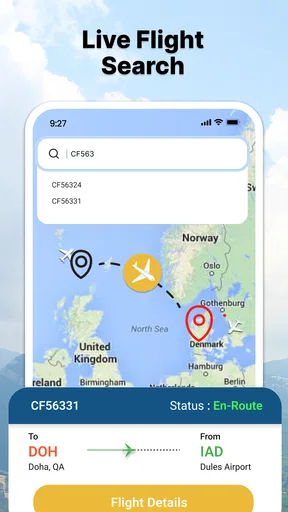
Another cool feature is the ability to search for specific flights. Just enter the flight number, and you get detailed information about its route, estimated time of arrival, and even the type of aircraft. It’s perfect for those times when you’re picking someone up from the airport and need to check if their flight is on time.
Customization and Alerts
One of my favorite things about FlightRadar is the customizable alerts. You can set up notifications for specific flights or even for certain airports. This is a lifesaver, especially if you’re a frequent traveler or just someone who likes to stay informed about flight statuses.
You can also customize the map view to show different layers. Whether you want to see weather patterns, airport delays, or just a basic map, it’s all up to you. This level of customization makes the app not only useful but also a bit of fun to play around with.
Why You’ll Want to Use It
Beyond the technical features, what really makes FlightRadar appealing is its reliability and ease of use. I’ve used it in different countries and never had an issue with accuracy or connectivity. The data is consistently up-to-date, which is crucial when you’re dealing with flight information.
Plus, if you’re a bit of an aviation geek like me, you’ll appreciate the detailed aircraft information. From the model to the airline, it’s all there. It’s like having your own personal aviation encyclopedia!
The Social Aspect
One thing I didn’t expect was the social element of this app. You can share flight information with friends or family directly through the app. This is great for coordinating trips or just showing off your newfound aviation knowledge. It’s small touches like these that make the app feel more connected and community-oriented.
Wrap-Up
In conclusion, FlightRadar - Flight Tracker is a fantastic tool for anyone interested in aviation, travel, or just staying informed about the world’s air traffic. It’s packed with features that are both practical and fun, and it’s incredibly easy to use. Whether you’re tracking a friend’s flight or simply curious about that plane flying overhead, this app has got you covered.
So, next time you find yourself looking up at the sky, wondering about those planes crisscrossing above, whip out your phone, fire up FlightRadar, and dive into the world of real-time flight tracking. Trust me, it’s a game-changer!
Verdict
Strengths of FlightRadar - Flight Tracker
- Real-time flight tracking available.
- User-friendly interface for easy navigation.
- Comprehensive flight details provided.
- Global coverage with accurate data.
- Customizable alerts for specific flights.
Limitations of FlightRadar - Flight Tracker
- Requires constant internet connection.
- Premium features are behind a paywall.
- Can drain battery quickly due to GPS.
- Occasional ads in the free version.
- Limited offline functionality.
Other Releases by Fast Tour Booking - Flights & Hotels
View All
Video & Music Downloader HD
Video Players & Editors4.2
Similar Picks in This Category
View All
Google Maps
Google LLC3.4

Google Maps Go
Google LLC4.1

Booking.com: Hotels & Travel
Booking.com Hotels & Vacation Rentals4.8

Google Earth
Google LLC3.8

Skyscanner Flights Hotels Cars
Skyscanner Ltd4.8

trivago: Compare hotel prices
trivago N.V.4.4
Frequently Asked Questions
What features does the FlightRadar - Flight Tracker app offer?
FlightRadar - Flight Tracker provides real-time flight tracking, allowing users to view any flight's status globally. It includes detailed information such as flight path, altitude, speed, and aircraft type. Users can also set up alerts for specific flights, access historical data, and explore 3D views of flights in real-time.
Is the FlightRadar - Flight Tracker app free to use?
The app offers a free version with basic features, such as tracking flights and viewing essential flight details. However, to access premium features like historical data, detailed aircraft information, and ad-free experience, users may need to purchase a subscription or one-time in-app purchases.
How accurate is the flight tracking information provided by the app?
FlightRadar - Flight Tracker is known for its high accuracy, using data from multiple sources, including ADS-B, satellite, and radar. While it strives for reliability, users should note that some delays or discrepancies can occur due to data transmission factors or restrictions in specific regions.
Can I track flights offline with the FlightRadar app?
Tracking flights offline isn't possible as the app relies on real-time data from various sources. An active internet connection is necessary to receive updated flight information. Users can, however, explore previously accessed data or saved flight paths while offline, but real-time tracking requires connectivity.
What devices are compatible with FlightRadar - Flight Tracker?
FlightRadar - Flight Tracker is available on both Android and iOS platforms, ensuring compatibility with a wide range of smartphones and tablets. Users should ensure their devices meet the app's system requirements and have the latest operating system updates to ensure optimal performance and access to all features.
